


Posts

Posts


Buying guide
Candidate experience software is any tool that shapes how job seekers find, judge, apply to and hear back from an employer. It falls into six types: careers website platforms, feedback and survey tools, conversational and scheduling tools, applicant tracking systems, recruitment CRMs and talent suites. Most teams need two or three, not all six.
Search for candidate experience software and you will find survey tools, chatbots, applicant tracking systems and full talent suites, all making the same promise. They are not the same thing. Each type fixes a different part of the journey, and buying the wrong one leaves the real problem untouched. This guide explains the six types, what each fixes and how to choose.
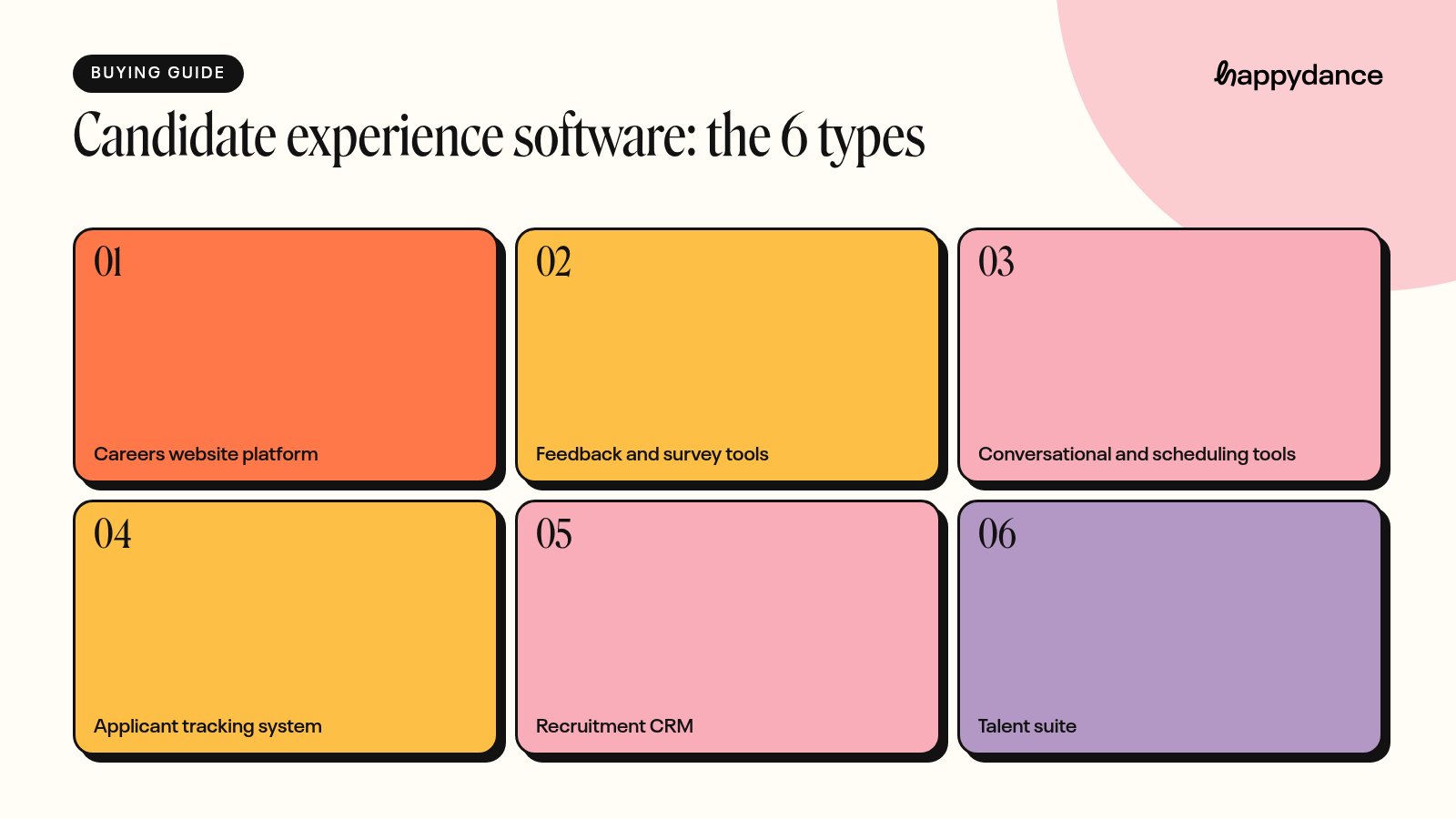
| Type | What it does | Where it acts |
|---|---|---|
| Careers website platform | How people find roles, learn about you, get answers and apply | Before apply |
| Candidate feedback and survey tools | Measure how candidates rate each stage | During and after |
| Conversational and scheduling tools | Answer questions and book interviews | During |
| Applicant tracking system (ATS) | Manages applications, workflow and offers | After apply |
| Recruitment CRM | Nurtures talent pools and campaigns | Before and after |
| Talent suite | Bundles several of the above | Across |
What it fixes: How candidates find roles, understand the job and the culture, get answers and start an application, all before they reach your ATS.
Signs you need it: Plenty of visitors but few applications; candidates who cannot find relevant roles; long, off-brand ATS forms; your team waiting on developers to change a page.
What to check: Mobile speed, testing to WCAG 2.1 AA, search and matching, answers from your own content, on-site apply, content your team can edit, and analytics that show drop-off.
How it connects to your ATS: It sits in front of the ATS. Jobs flow in from the ATS and applications flow back. Ask which systems it supports; see careers website ATS integration.
What it fixes: Blind spots. They ask candidates how each stage felt, from application to interview to offer, and turn the answers into scores you can track.
Signs you need it: You do not know why candidates withdraw or decline; leaders want a measure of candidate experience; complaints arrive by word of mouth rather than data.
What to check: When surveys are sent, response rates, how results are split by stage and team, and whether feedback reaches the people who can act on it.
How it connects to your ATS: Usually triggered by status changes in the ATS, so the integration decides how timely and accurate each survey is.
Want an expert view of your own site? Get a free candidate experience review.
What it fixes: Slow back-and-forth during the process. They answer routine questions and let candidates book interview slots themselves.
Signs you need it: Recruiters spend hours on scheduling emails; candidates wait days for a simple answer; high-volume roles stall at the interview stage.
What to check: Where answers come from, how a candidate reaches a human, how the tool is disclosed to candidates, and what data it keeps.
How it connects to your ATS: Reads and writes interview and status data in the ATS. On the careers website itself, conversational answers should come from your published content.
What it fixes: Process after apply: managing applications, workflow, status updates, scheduling and offers.
Signs you need it: Applications live in inboxes or spreadsheets; hiring managers cannot see progress; compliance and reporting take too long.
What to check: Status communication, mobile apply, accessibility of its own forms, and how easily a branded careers website can sit on top of it.
How it connects to your ATS: It is the system of record. Most other tools on this list connect to it.
What it fixes: Lost relationships. It nurtures talent pools and runs campaigns to people who are not applying today.
Signs you need it: You keep sourcing the same people from scratch; silver medalists disappear; campaigns are manual and hard to measure.
What to check: Consent and unsubscribe handling, segmentation, how candidates enter the CRM, and whether it duplicates what your careers website and job alerts already do.
How it connects to your ATS: Syncs candidate records with the ATS, and often captures sign-ups from the careers website.
What it fixes: Tool sprawl. It bundles several of the types above into one contract.
Signs you need it: You want one supplier for many recruitment tools and can accept a standard approach in each area.
What to check: Whether you must buy the whole suite to get the part you need, how strong each module really is, and the total cost. Compare a talent suite or specialist careers website before you commit.
How it connects to your ATS: Often includes its own careers pages and CRM, connected to one or more ATS platforms.
Most candidate experience software works after someone applies: surveys, scheduling, status updates and offers. That matters. But a large part of the experience, and much of the drop-off, happens earlier, when people are deciding whether to apply at all.
Company career sites were the #1 candidate research channel in 2025, used by 46% of candidates, a 48% increase from 2024.
Source: 2025 Candidate Experience (CandE) Benchmark Research (Talent Board program, now run by Survale), 66,000+ candidate surveys, 2025.
The top three types of marketing content candidates valued before applying in 2025 were company values, company culture and employee testimonials. All three live on your careers website. If that layer is weak, no amount of post-apply tooling will win back the people who never applied.
Most teams need two or three types, not all six. Every employer needs an ATS as the system of record. Most also need a careers website platform, because that is where candidates research, decide and start to apply. After that, add tools in order of the problem you can measure. If candidates withdraw after interviews and you do not know why, a feedback tool helps. If recruiters lose days to scheduling, a scheduling tool helps. If good people visit and leave without applying, fix the careers website first. Buy against the drop-off you can see in your own data, not the longest feature list.
Free candidate experience reviewSee your careers website through your candidates' eyesOur team reviews how candidates find roles, get answers and apply on your current careers website, then tells you what we would fix first.Get a free candidate experience reviewThe ATS shapes what happens after someone applies: status updates, scheduling and offers. Much of the experience, and much of the drop-off, happens before that, on the careers website, where people search, judge the role and start the application. The best results usually come from a strong careers website on top of the ATS you already run. Happydance's easy-apply overlay works with Workday, Greenhouse, SAP SuccessFactors, Ashby and iCIMS.
You rarely need to change your ATS to improve candidate experience. If your organization runs Workday, for example, see how Happydance works as a careers website for Workday customers, with the application connected to your Workday ATS.
Use these ten questions with any supplier, whatever type of tool you are buying. Ask for evidence from live sites, not slides.
Is it designed and tested to WCAG 2.1 AA, with evidence from live sites?
How fast are real pages on a phone, and how short is the mobile application?
Which ATS platforms does it support, and can candidates apply without leaving your brand?
What candidate data is stored, where and for how long?
Can your team update pages and stories without a developer?
Which languages and local variants does it support?
Can you see where candidates drop out, page by page and step by step?
Who helps you improve results after launch, and how often?
What is included, what is an add-on, and what changes as you grow?
How long does a typical launch take, and what does your team need to do?
Happydance is a careers website platform: the first row of the table. It helps candidates find the right role, get real answers and finish a short, branded application, on top of the ATS you already use. See our career site for candidate experience for how it works, and our guide on how to improve candidate experience on your career site for fixes you can make today.
At National Grid, a mobile-first careers website with conversational navigation reports a 13.95% average job apply rate, with mobile share up from 46% to 62%. Each customer measures conversion in its own way; see the results table on careers website conversion. To see where candidates drop out on your own site, start with the analytics dashboard.
Free candidate experience review
Tell us your careers website address and the tools you already use. Our team will review how candidates find roles, get answers and apply, and show you where a careers website platform would make the biggest difference.
Get a free candidate experience review Book a demo
A human review by our team, not an automated scan. Prefer to write? Contact us.
A candidate experience site is the part of an employer's website where job seekers search roles, learn about the company and apply. Some applicant tracking systems use the term for their built-in career pages. Many employers put a fully branded careers website in front of the ATS so the experience matches their employer brand.
The ATS shapes what happens after someone applies: status updates, scheduling and offers. Much of the experience, and much of the drop-off, happens before that, on the careers website, where people search, judge the role and start the application. The best results usually come from a strong careers website on top of the ATS you already run. Happydance's easy-apply overlay works with Workday, Greenhouse, SAP SuccessFactors, Ashby and iCIMS.
A career site for candidate experience is a careers website designed around what candidates need before they apply: finding the right role, understanding the job and the culture, getting answers, a short branded application and a way to stay in touch. Your ATS runs the process after someone applies. Your careers website shapes everything before that.
Yes. A careers website platform is the pre-apply layer of candidate experience software. It shapes how people find roles, judge fit, get answers and start an application, before the ATS takes over the process.
Get a free candidate experience review of your current careers website from our team, then see a careers website built around your candidates, running on your own jobs.
Get a free candidate experience reviewBook a demo
About the author
Jim Taylor is Managing Director of Happydance.
Posts

Posts

Posts